Overview
If you are ever faced with a situation where you are not able to disable SIP ALG on your router/firewall you can try to bypass SIP ALG by adjusting the Local SIP Port the phone will use to register and send SIP traffic.
Step 1
First you'll need to obtain the IP address of the phone, start by pressing the "Home" button on the phone
Using the navigational key, scroll and select "Settings"
Then press "411" on the dial pad
Scroll down and make note of the IP address
Step 2
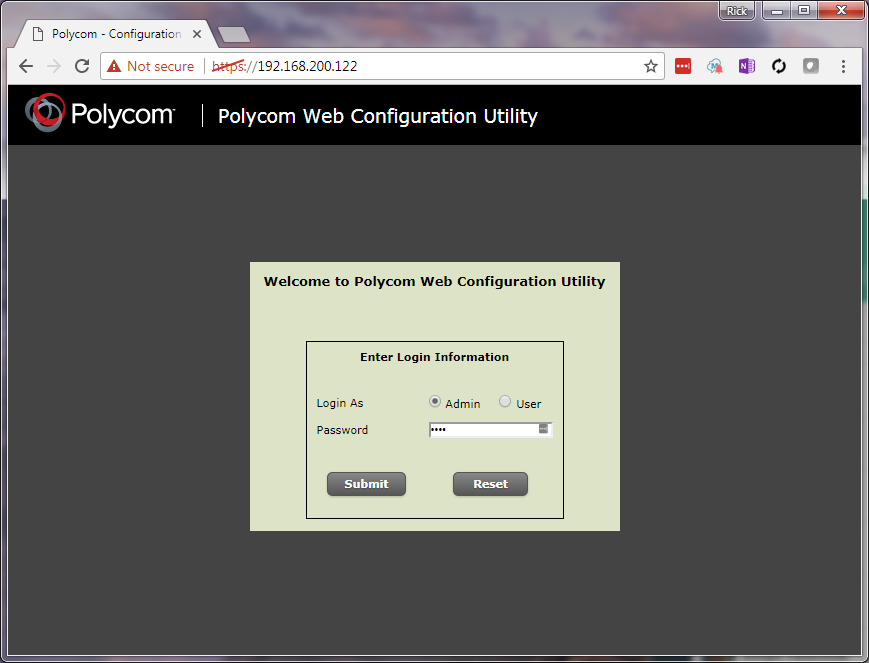
Open a web browser and enter the IP address of the phone in the address bar then press enter
The screen shown below will appear
Enter "8647" or "456" in the password field then click the "Submit" button
Step 3
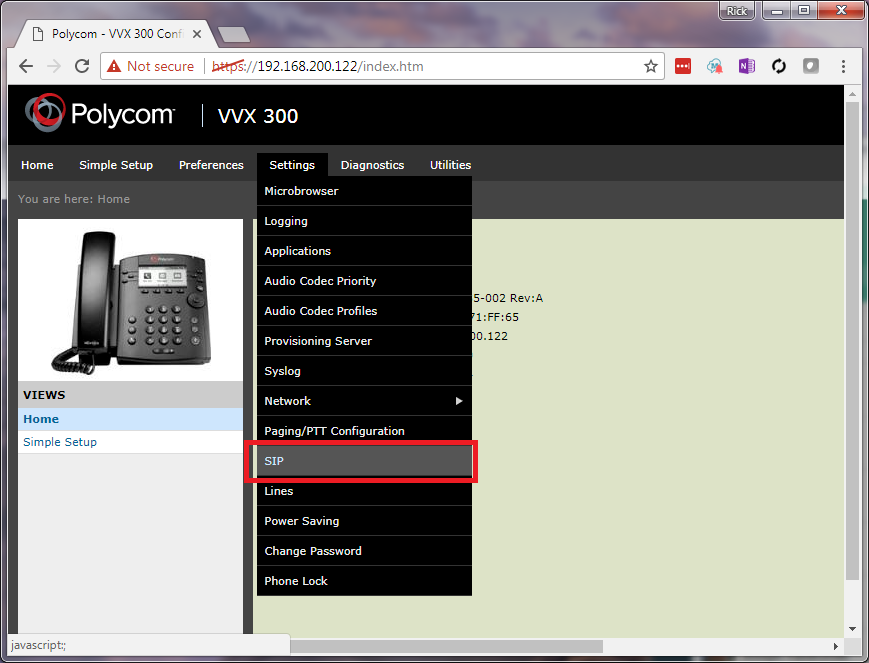
Move the mouse over "Settings" then select the "SIP" option from the menu that appears
Step 4
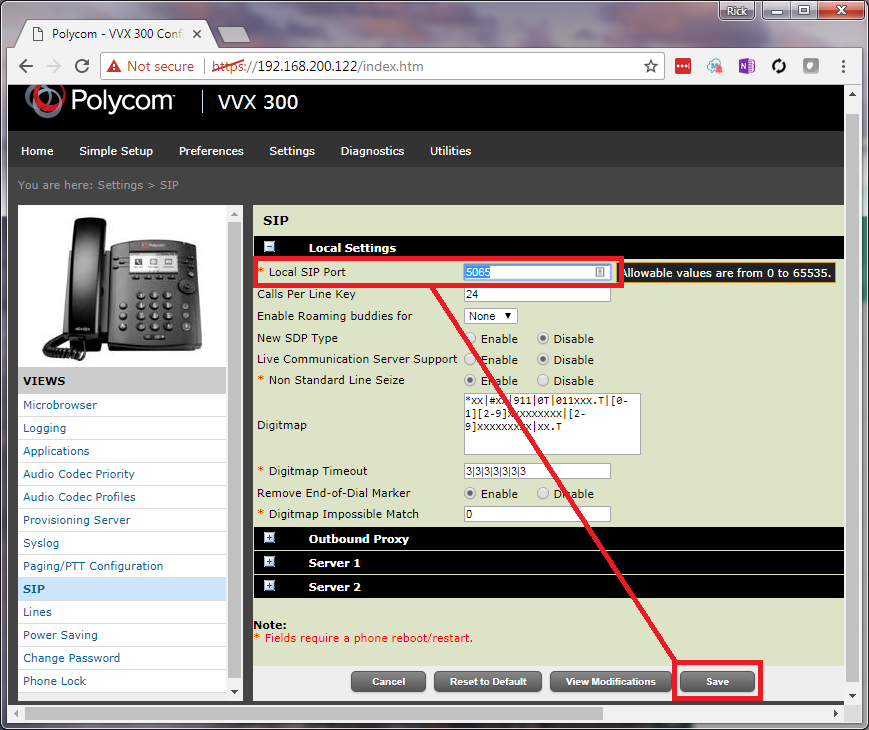
Enter "5065" in the Local SIP Port field as shown below
Click the "Save" button (Note: This will cause the phone to reboot)
Once the reboot completes the phone should use UDP port 5065 and bypass any SIP ALG that is in place
Was this article helpful?
That’s Great!
Thank you for your feedback
Sorry! We couldn't be helpful
Thank you for your feedback
Feedback sent
We appreciate your effort and will try to fix the article