Overview
SIP ALG is used to avoid configuring a Static NAT on a router. Its implementation however, varies from one router to another. SIP ALG in general is known to cause problems with VoIP. This article will show you how to disable SIP ALG on a NetGear router.
Configuration Steps
2. Login. The default Username is "admin" and the default password is "password".
3. Select "Advanced" from the main menu.
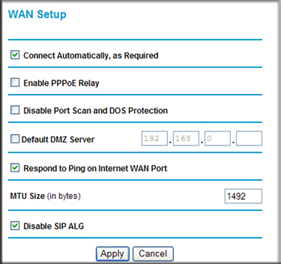
4. Then select "WAN Setup".
5. Check the box next to "Disable SIP ALG".
6. Click "Apply".
Option 2
1. Open a web browser and navigate to LAN address of the router (192.168.0.1 by default)2. Login. The default Username is "admin" and the default password is "password".
3. Select "Security" from the main menu.
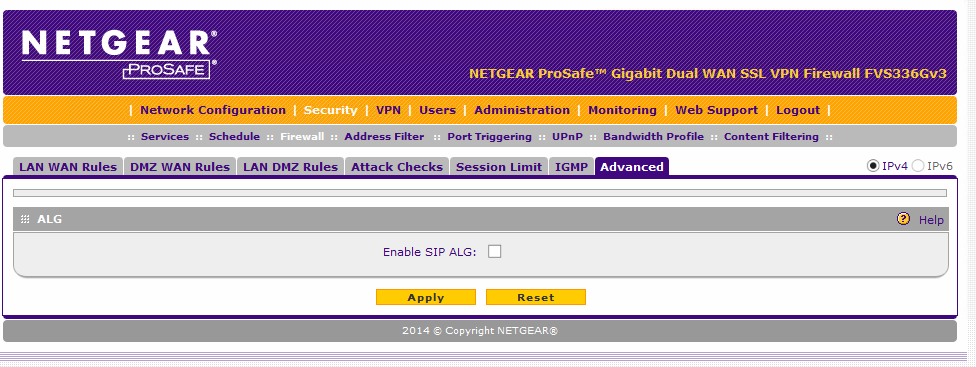
4. Then select "Firewall" > "Advanced".
5. Uncheck the box next to "Enable SIP ALG".
6. Click "Apply".

Option 3
1. Connect to the NETGEAR device using a wired/wireless connection.
2. Once connected access the GUI interface of the NETGEAR device by typing http://www.routerlogin.net in the browser.
3. The router login screen will asks for a login and password. If you have not changed the password then the default username is admin and password is the password.
4. Once logged into the NETGEAR genie page, click ADVANCED.
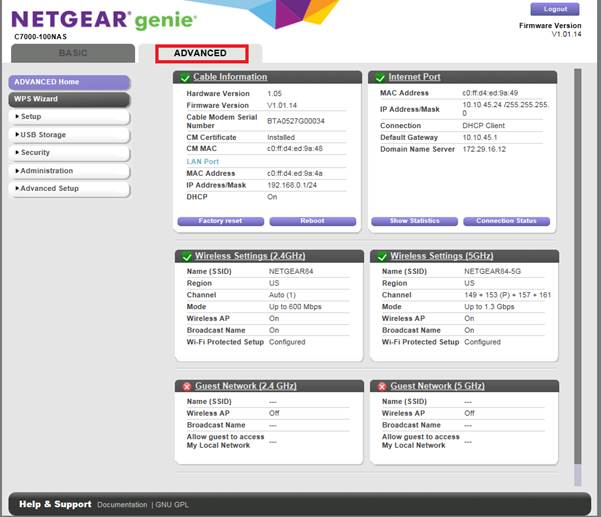
5. Click Setup.
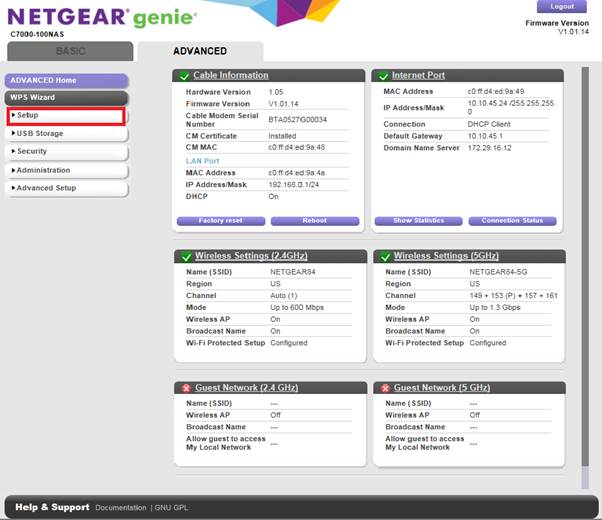
6. Click WAN Setup.
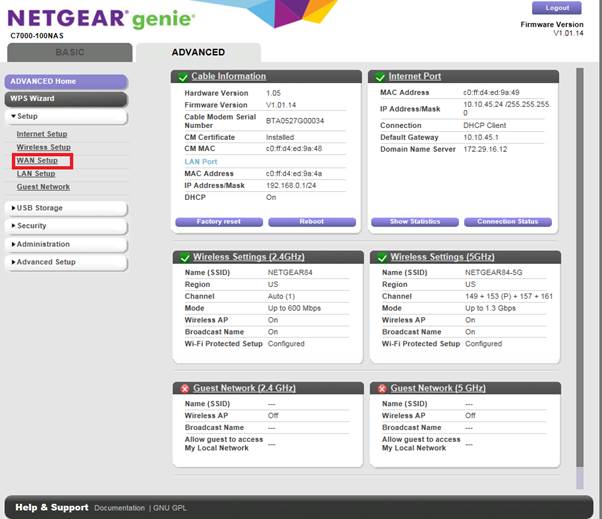
7. On the WAN Setup page, disable SIP ALG by selecting Disable SIP ALG.
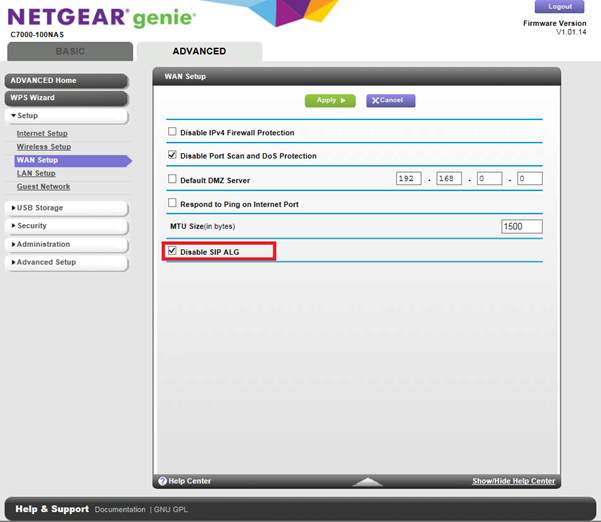
8. Click Apply to save the settings.
Was this article helpful?
That’s Great!
Thank you for your feedback
Sorry! We couldn't be helpful
Thank you for your feedback
Feedback sent
We appreciate your effort and will try to fix the article