Factory Reset / Default Polycom VVX Series Phones
Step 1 - Reboot the phone
Step 2 - Press the "Cancel" soft key when it appears
Step 3 - Press and hold down the 1, 3, 5 buttons on the key pad
Step 4 - When prompted to enter a password, enter the MAC Address of the phone. Note all alpha characters must be entered as lower case.
Tip: Use the "1-Aa" soft key to switch the character input mode. See the table and screenshot below.
| Soft Key Mode | Input Method |
| 1-Aa | Numeric |
| A-a1 | Upper Case Alpha Characters |
| a-1A | Lower Case Alpha Characters |
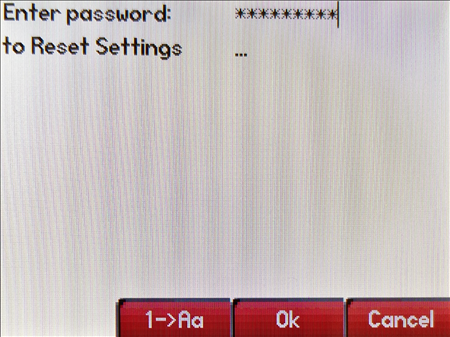
Step 5 - Press the "Enter/OK" soft key. The phone will reboot and return to factory default settings.
Was this article helpful?
That’s Great!
Thank you for your feedback
Sorry! We couldn't be helpful
Thank you for your feedback
Feedback sent
We appreciate your effort and will try to fix the article